For business

Food delivery ERP
that actually feels human

Take orders, watch your couriers on a live map, run the kitchen screen with smart timers, manage loyalty cards, set permissions per employee — all in one place.

Running since July 3, 2024
For guests

A simple website
for taking delivery orders

A ready-made storefront under the restaurant's brand. Catalog, cart, order history, loyalty points — out of the box.

my.olkha.delivery · ольхадоставка.рф
Already running on the platform

Real deliveries, not marketing

The platform has been live since summer 2024. Below are restaurants that take orders on it every day.

Who it fits

Built for food delivery

If you recognise your kitchen in this list — chances are it'll fit without long customisations.

You do food delivery

Sushi, pizza, BBQ, wok, pastries, cafes with their own couriers. These are the formats it was built around — kitchen feed, couriers, loyalty, cook times.

Orders come in from many places

Phone calls, website forms, VK messages, Tilda forms, a WooCommerce shop. Everything lands in one feed instead of five browser tabs.

Kitchen, operators and couriers work disconnected

The manager scribbles in a notebook, the kitchen finds out by shouting, couriers chat in messengers. Once you're on the platform — everyone has their own screen with exactly what they need.

You want to see the whole business

Where couriers are right now, what's happening in the kitchen, cash for the shift, which clients stopped ordering, which neighbourhoods bring revenue — all on a single dashboard.

olkha.delivery · for business

An ERP people actually use

Not «a box with a hundred tabs» — bundles of features that solve real problems in the kitchen and on the road.

Smart kitchen screen
The timer doesn't show «time elapsed» — it shows «time left until the deadline», with delivery time already subtracted. Overdue items turn red.
Live courier map
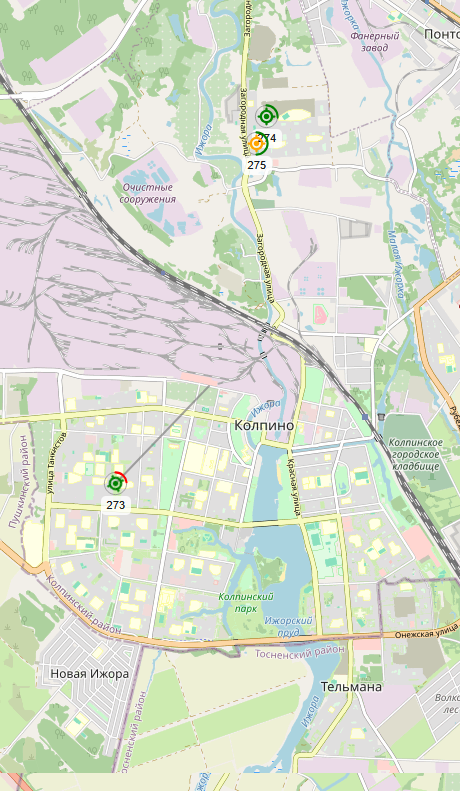
See where each courier is, what they're carrying, who's running late. Avatars on the map, routes, delivery countdowns.
Couriers work from a regular smartphone
They see their orders, drag them into the right delivery sequence, take payment with automatic change calculation, open the address in a navigator in one tap.
Orders from every channel in one window
A Tilda or WooCommerce site, VK messages and orders, phone calls, Telegram notifications, online cash registers — everything in one feed.
Permissions per employee
Configurable by module, save an «Operator» template and apply it in one click. Access only during shift hours, by schedule.
Clear analytics for the owner
Daily cash, top sellers, a district map of active clients, hours when you're short on couriers, returning vs. new customer share.
Tech stack — for integrators and IT directors

Telephony

SIP integrations with Telphin, UIS, Telestore. Click-to-call through the PBX, inbound calls match the number and open the client card. As a fallback — the olkha-admin Android app for a regular work phone, dual-SIM supported.

POS and fiscalisation

Life POS, Evotor, AKSI. Receipt printing and payment fiscalisation on delivery.

Maps and addresses

Address suggestions and validation via DaData, Leaflet for courier maps and the client heatmap.

Realtime and sockets

WebSocket updates in the kitchen feed, courier map and dispatcher view. Courier GPS — via a Telegram bot.

Customer storefront

my.olkha.delivery — Vue + Tailwind, a subdomain under the restaurant's brand with the option to bind a custom domain. QR table menus — menu.olkha.delivery.

External order channels

Tilda (contact form and catalog), WooCommerce (order intake from a WordPress shop), VK (orders + DMs from the CRM), Telegram notifications, YML export.

How it looks

Two halves — one process

A guest taps «order», and a live card pops up in your admin panel instantly.

my.olkha.delivery — what the client sees

A responsive website under the restaurant's brand. Menu, cart, an account with order history and saved addresses, loyalty points.

No sign-up required: name and phone on the first order, then everything fills in automatically. Addresses come with suggestions and validation, with the ones closest to your kitchens offered first.

Dispatcher — what the operator sees

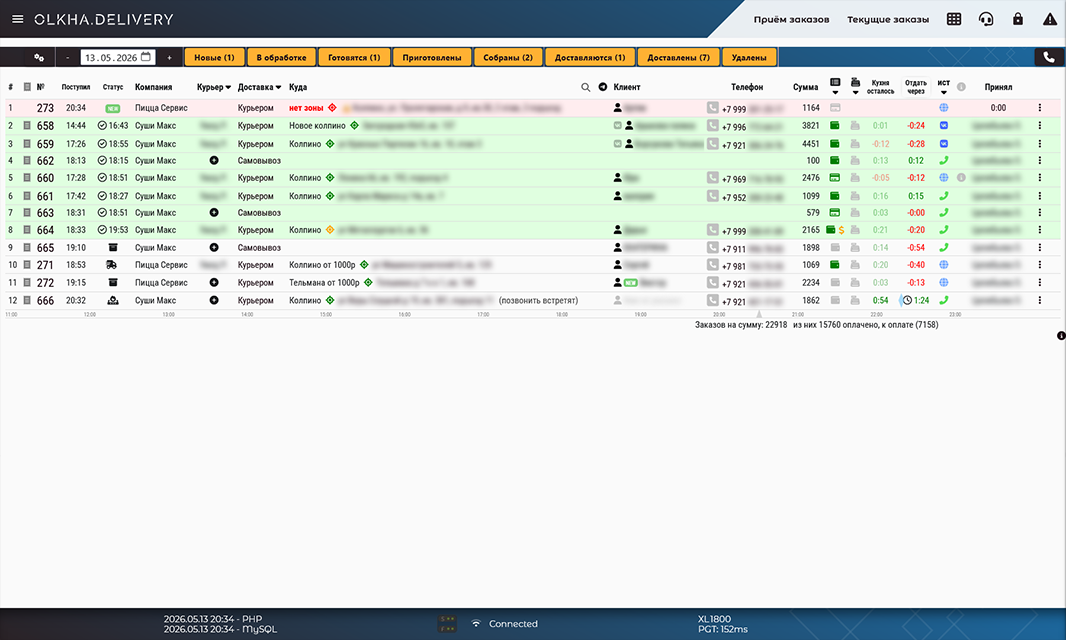
A real-time order flow, addresses parsed automatically, calls landing right inside the system. Free couriers are highlighted, assignment is one click.

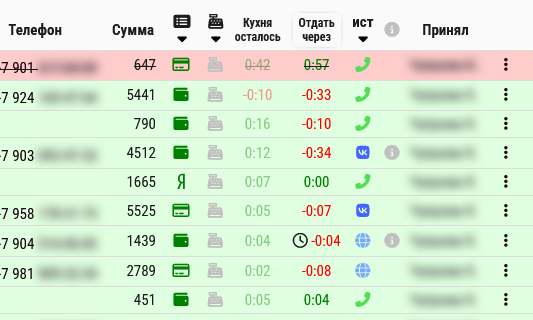
Two timers on each order: «Kitchen» and «Courier». Green → red when overdue — impossible to miss.

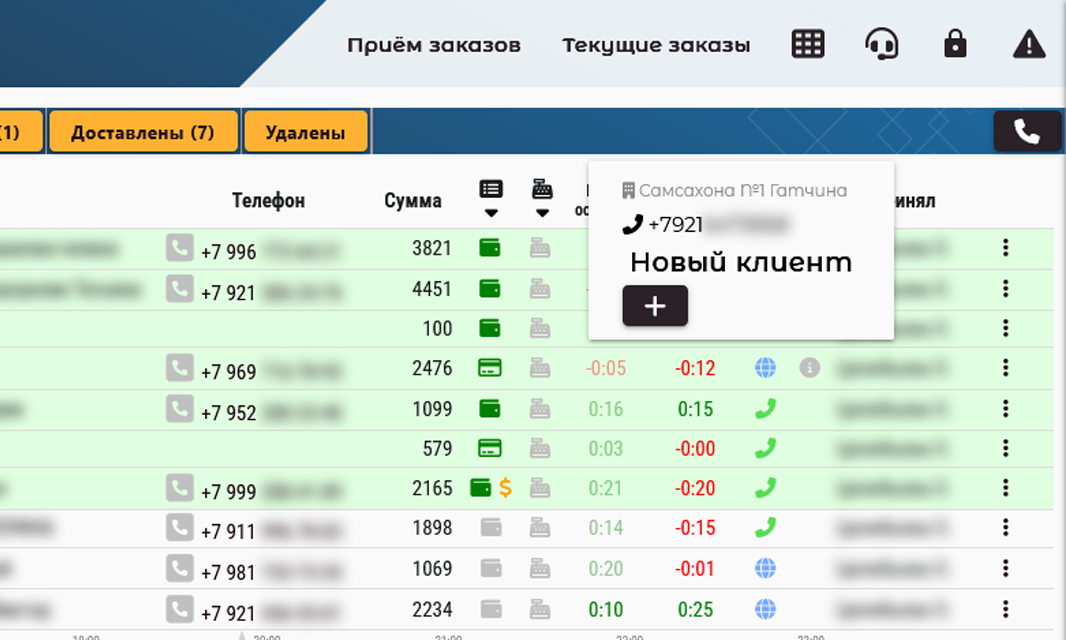
Incoming calls open the client card with full order history. Calling a client back — one click from the card, the operator's personal number stays hidden.

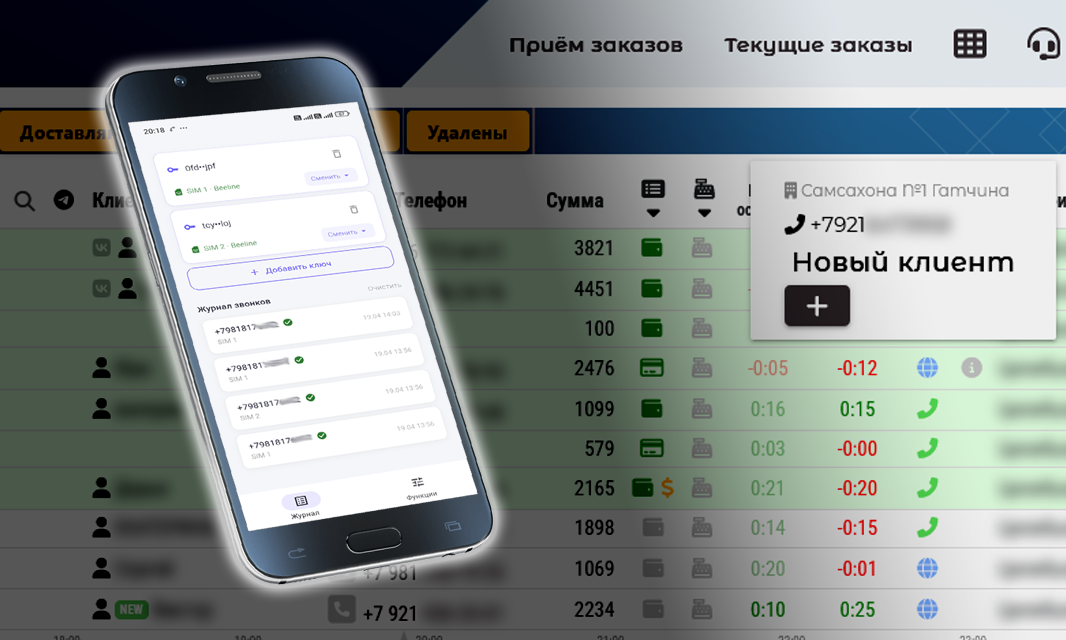
No IP telephony? The olkha-admin Android app has you covered. It installs on a regular work phone: incoming calls open the client card, outgoing — one click from the card. Works on dual-SIM phones too.

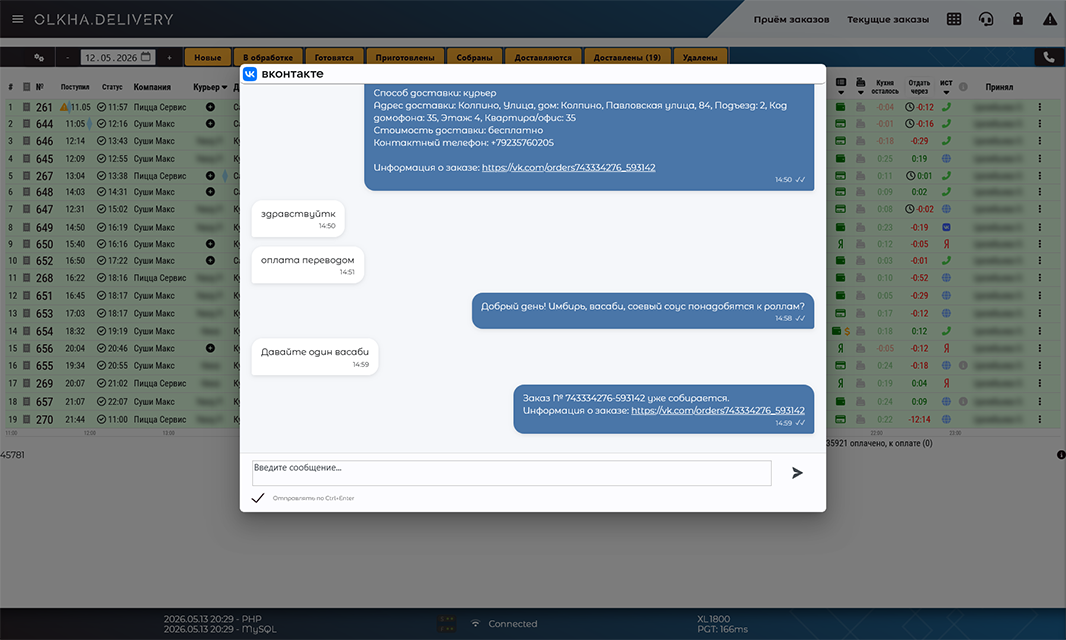
If the order came from VK, the conversation with the client is right inside the card, with an unread indicator.

olkha.delivery/pages/currentorders/
«Active orders» feed with status filters
Order card with two SLA timers: «Kitchen» and «Courier»
Incoming SIP call popup with the client's history
olkha-admin app: incoming call bridged into the CRM (dual-SIM Android)
VK conversation with the client inside the order card

Kitchen — who's cooking what

Orders are split by station, the notifier blinks at the right one. Mark «ready» — the order moves to the courier feed, ingredients are written off automatically by the recipe.

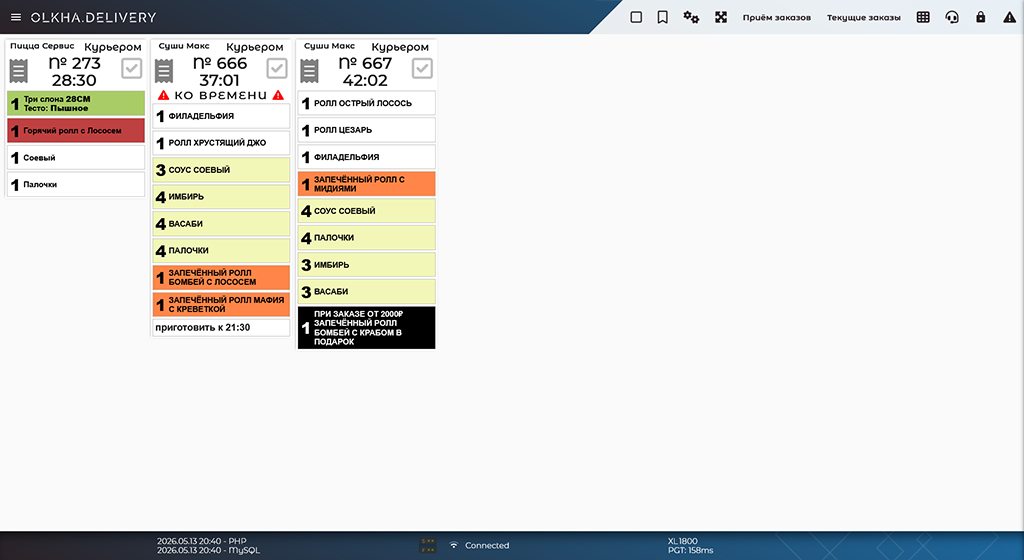
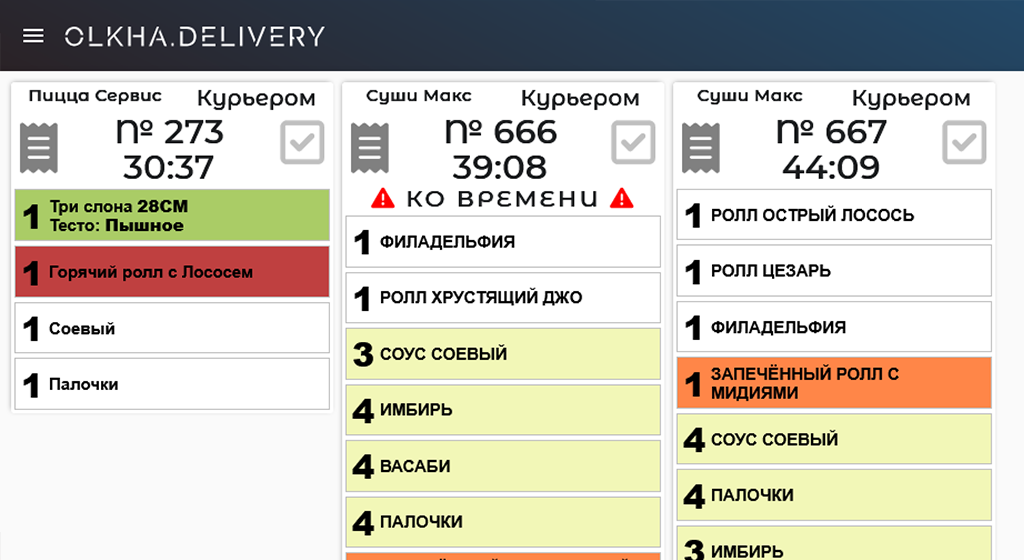
The smart timer doesn't show «time elapsed» — it shows how much time is left until the cook deadline, with delivery time already subtracted.

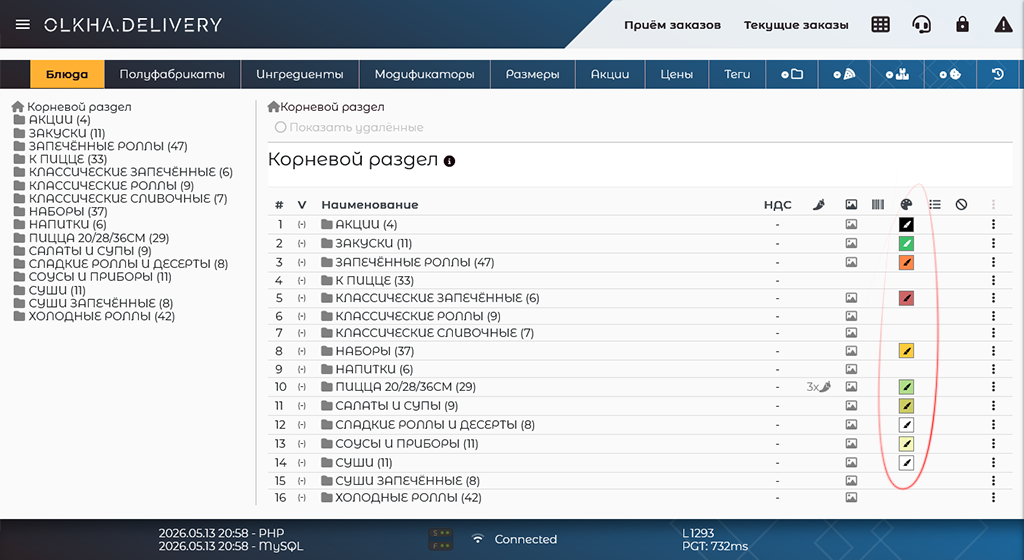
Each item's colour is set in its card — so the kitchen feed is easy to colour-code by type: cold / hot / urgent.

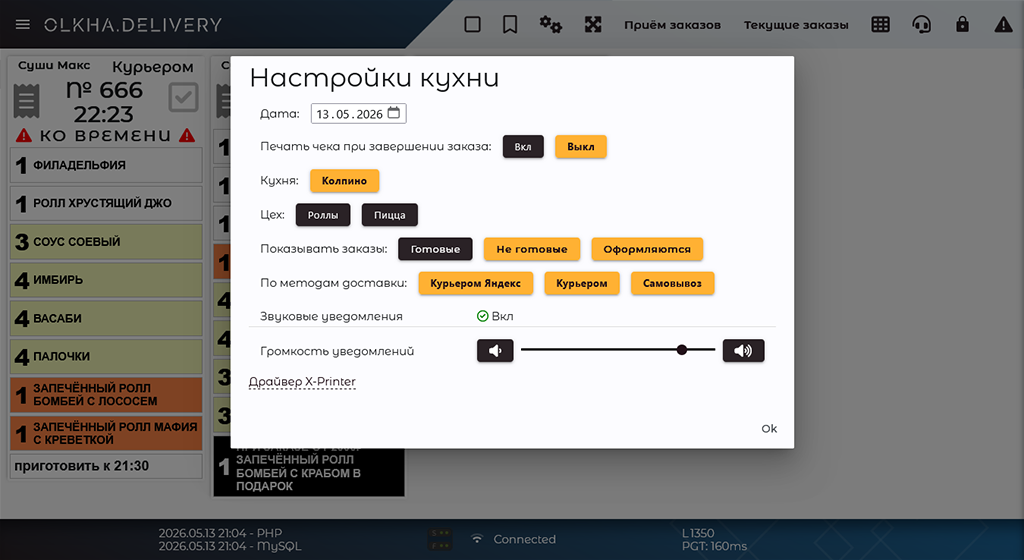
Several brands can cook in one kitchen — we call this «Multi-brand». You can also split the kitchen into stations: «Hot», «Cold» (all configurable).

Kitchen feed: orders by station, with notifiers
Smart timer on the order card: time left until the cook deadline
Colour markers for items on the kitchen feed by dish type
Multi-brand: kitchens of different companies on a single screen

Courier — map and web app

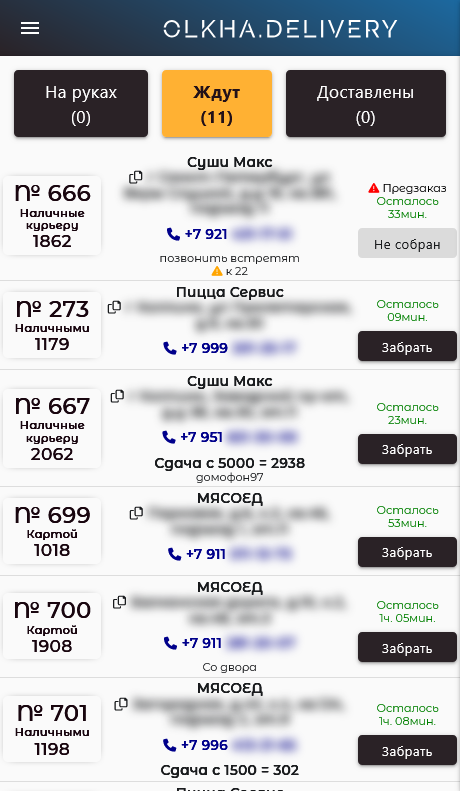
A courier web app for smartphones. Three tabs: «On hand» (carrying), «Waiting» (can pick up), «Delivered» (recent history). Cards are draggable — the courier builds their own route, the order is saved and visible to the admin on the map.

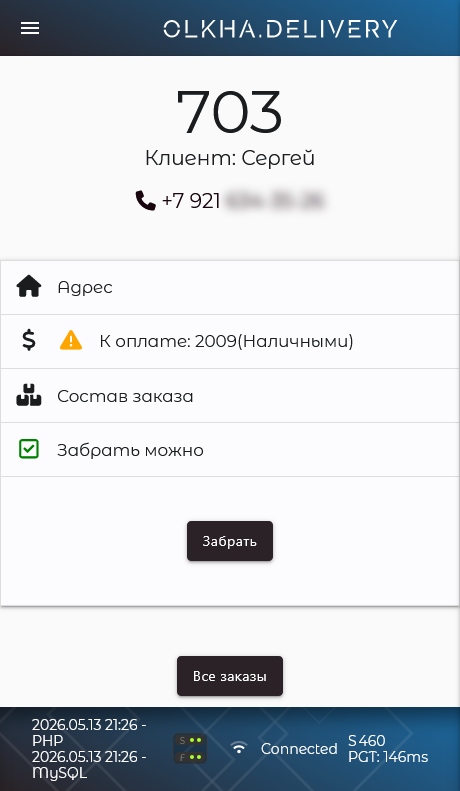
Payment with automatic change calculation right inside the card. The «Delivered» button stays locked until the balance is settled.

On the admin map — where each courier is right now: an avatar instead of a faceless dot, their route, delivery countdown. GPS comes through a Telegram bot — no separate app to install.

Courier web app: «On hand», «Waiting», «Delivered» tabs with drag-and-drop route ordering
Taking payment with automatic change calculation
Real-time courier map on the admin side

Owner — how the business is doing

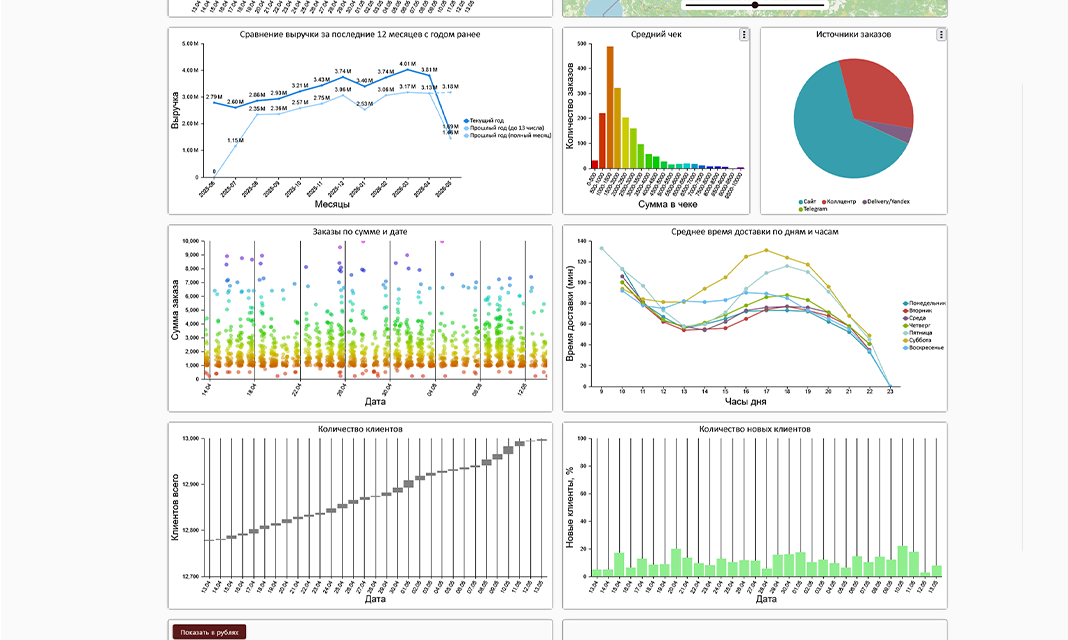
Summary for any period: order distribution by amount, a «when, how much» scatter chart, cumulative customer-base growth, top-16 items.

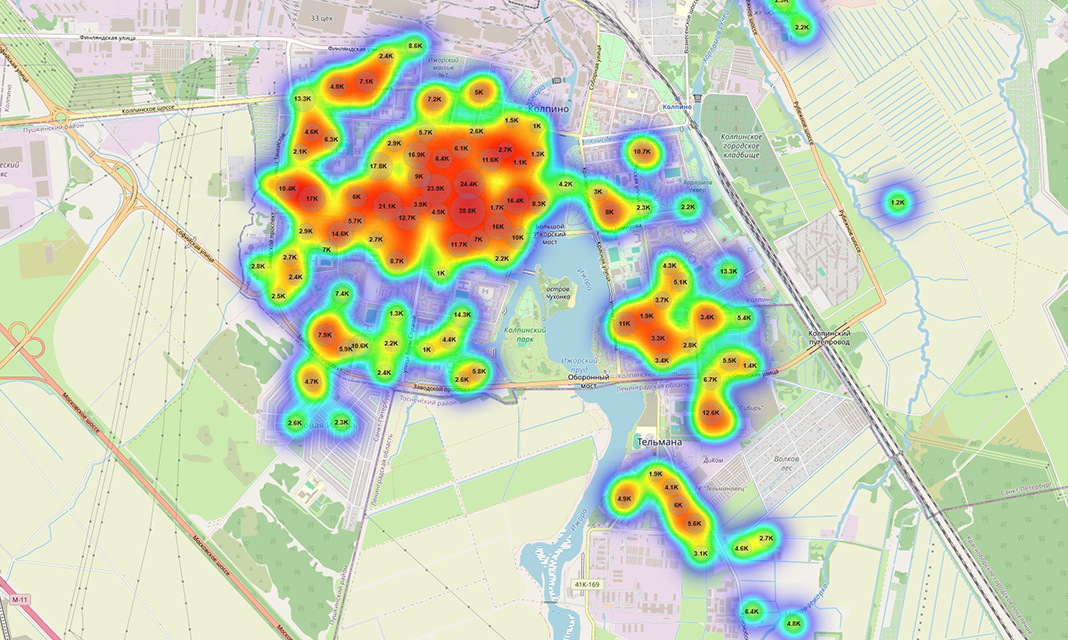
Heatmap of customer addresses. See where active customers live, which districts bring revenue. Adjustable intensity, fullscreen mode.

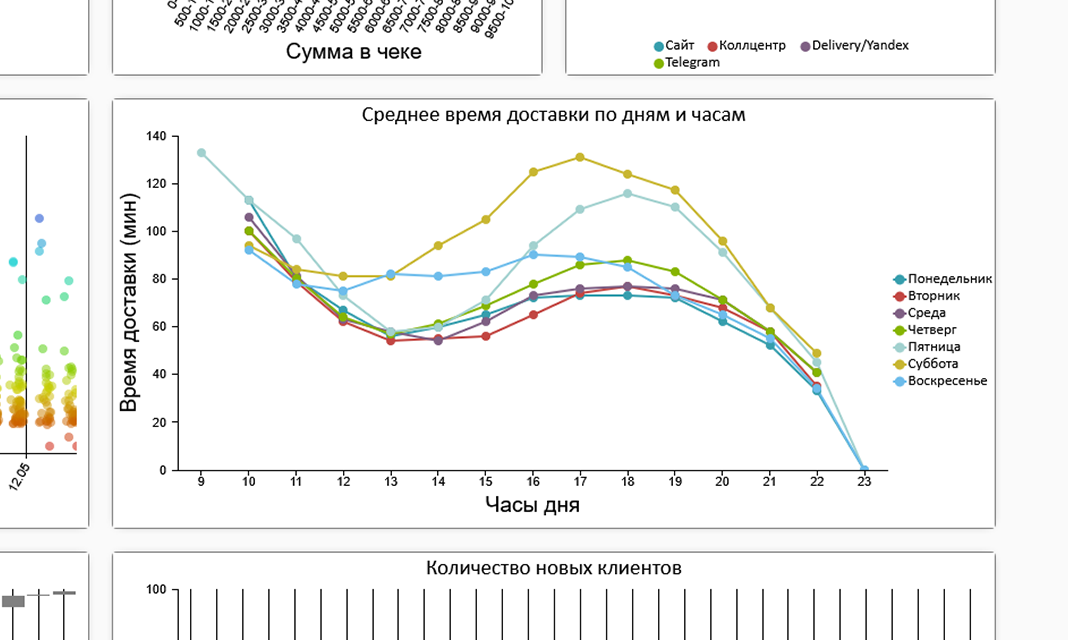
A «day of week × hour» matrix of average delivery time. Spot the busy hot spots — when you're short on shifts.

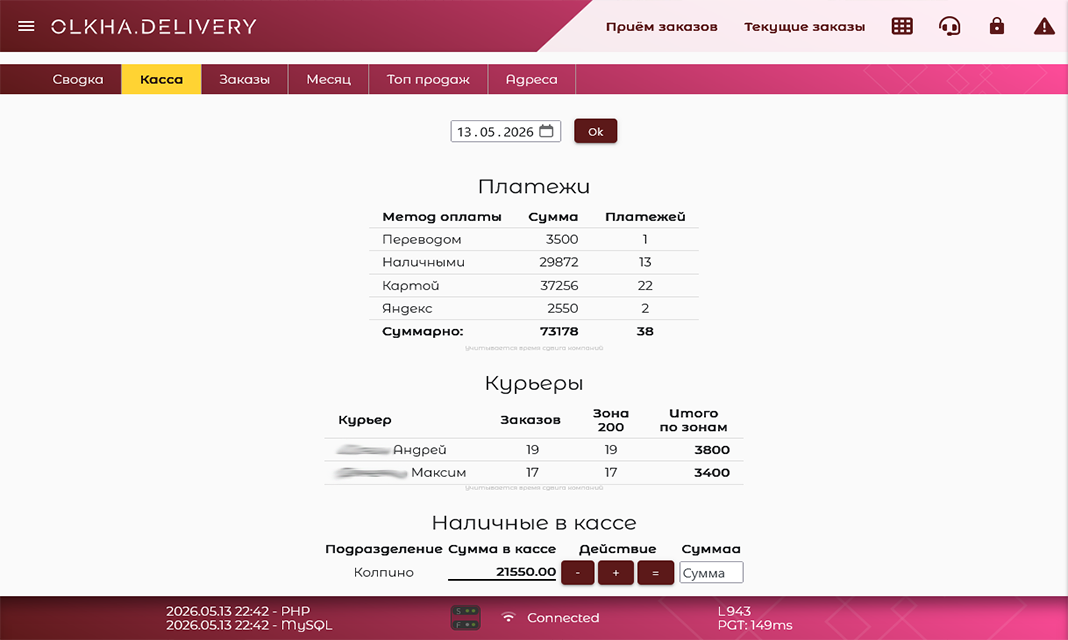
Daily cash with a payment-method breakdown and courier reconciliations. Per-branch report.

olkha.delivery/pages/reports/
Summary: order distribution and customer-base dynamics
Heatmap of customer addresses on Leaflet
«Day of week × hour» matrix of average delivery time
Daily cash with a payment-method breakdown

Catalog — items and AI

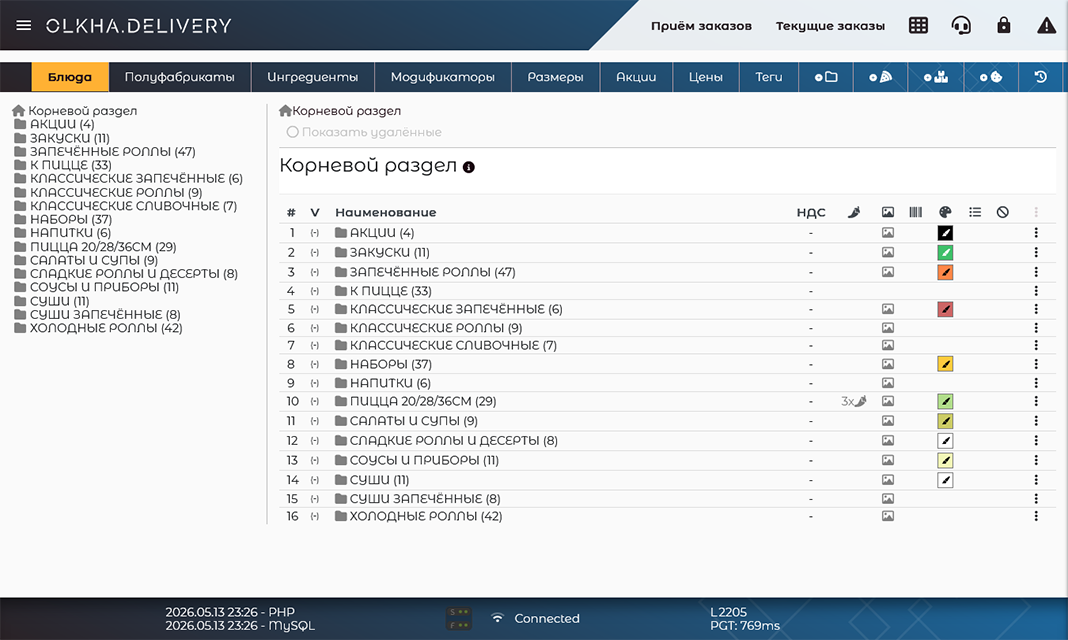
Tree-structured menu: folders with items inside. Types: Dish, Set, Semi-finished, Goods, Ingredient.

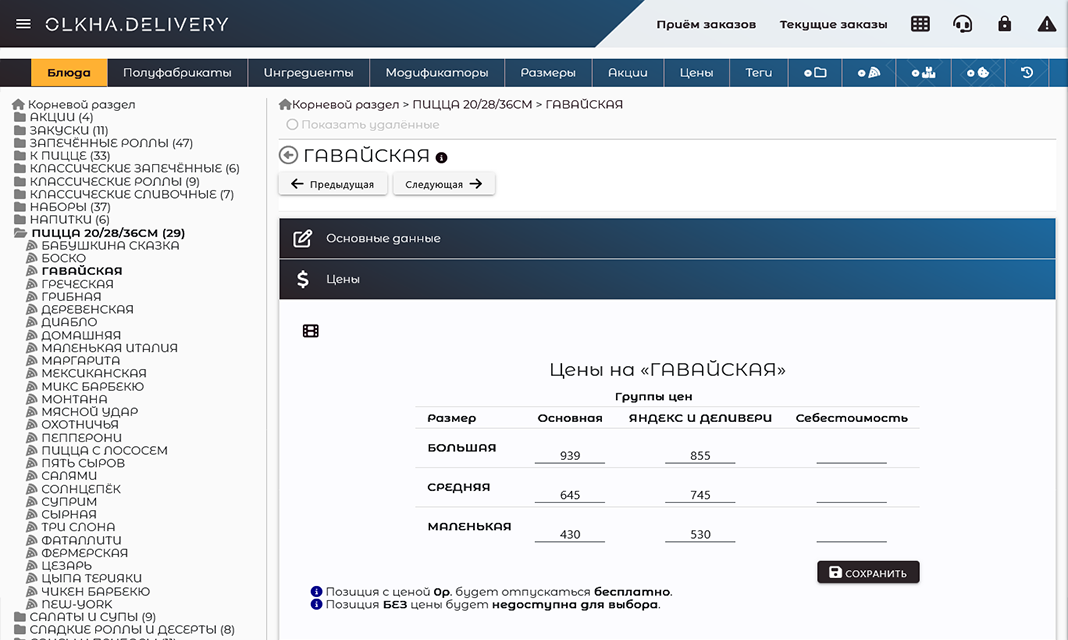
Pricing by a «size × price group» matrix. Separate price lists for different channels or branches.

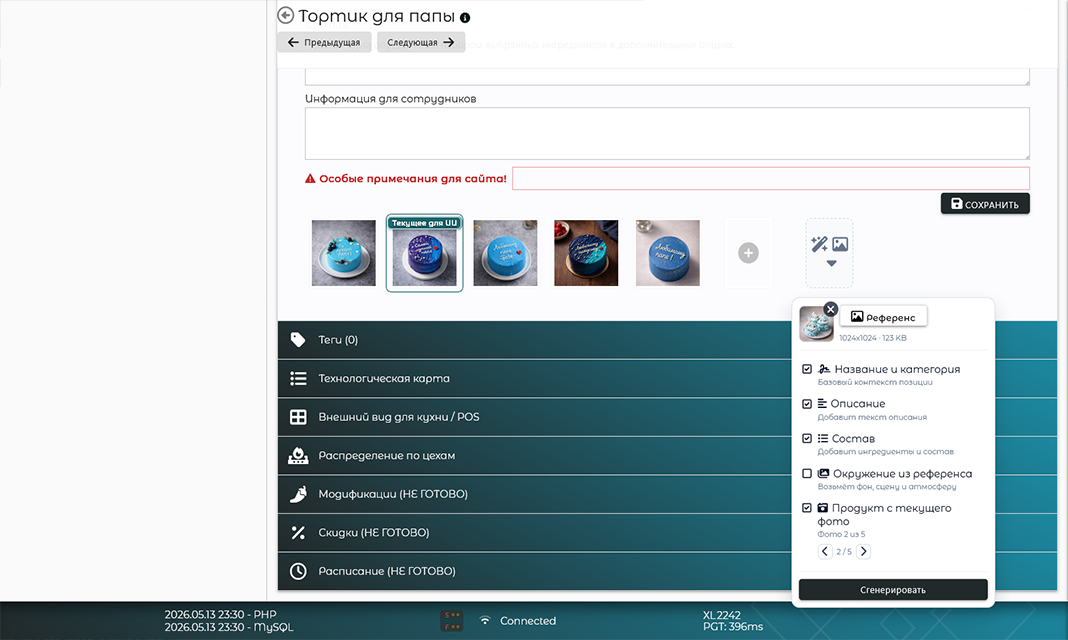
AI photo generation from name, description, ingredients or a reference image — watermarked with olkha.delivery. As a bonus — AI tools for descriptions and grammar.

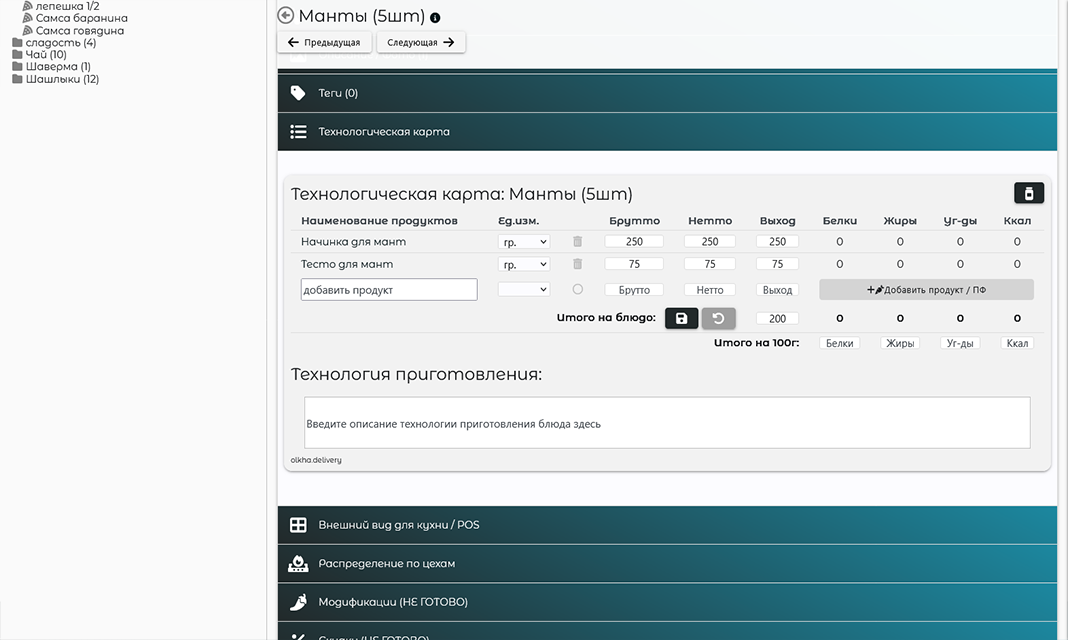
Recipe card with gross / net / yield per size. Stock is written off automatically the moment the dish is «ready in the kitchen».

olkha.delivery/pages/admin/items/
Catalog tree: folders and items
Dish card: prices by size × price group
AI photo generation panel based on ingredients
Recipe card: gross / net / yield

Get in touch

Usually 10–15 minutes of conversation is enough to tell whether the system fits your delivery and how long onboarding will take.